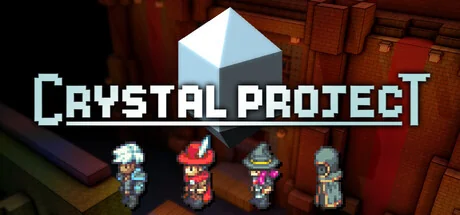
Build a party whose jobs, mounts and equipment come from other worlds. Explore freely or require regional permits, with several ways to link character levels to received items.
The catalogue lists all 1,393 possible base-game checks; 833 are active with APWorld defaults and All regions. The other checks require Kill Bosses Mode, Shopsanity, Home Point Hustle or Regionsanity. The World also defines 941 item types, three goals, 41 options and one preset. Use Mods can add or remove third-party mod content and is explicitly described by the setup guide as very beta and not recommended. The Crystal Project World overview markdown in this release contains unrelated Rogue Legacy text; these mechanics follow the release APWorld tables and generator source. Static source review only; no game runtime or full playthrough was performed. The setup guide targets the Steam 1.6.5 beta branch and requires .NET 8 Desktop Runtime x64 for the installer.
Actions and milestones that can send a check to your multiworld.
1,393 locations
Spawning Meadows Chest - On cliff north of spawn
Find and open the named chest in Spawning Meadows.
Treasure Chests
Spawning Meadows Chest - Under overpass
Find and open the named chest in Spawning Meadows.
Treasure Chests
Spawning Meadows Chest - Jump on Nan
Find and open the named chest in Spawning Meadows.
Treasure Chests
Spawning Meadows Chest - Above waterfall
Find and open the named chest in Spawning Meadows.
Treasure Chests
Spawning Meadows Chest - Behind Nan house
Find and open the named chest in Spawning Meadows.
Treasure Chests
Spawning Meadows Chest - Promontory south of waterfall
Find and open the named chest in Spawning Meadows.
Treasure Chests
Spawning Meadows Chest - Jump on secret tunnel chest
Find and open the named chest in Spawning Meadows.
Treasure Chests
Spawning Meadows Chest - On path to Delende
Find and open the named chest in Spawning Meadows.
Treasure Chests
Spawning Meadows Chest - Secret tunnel
Find and open the named chest in Spawning Meadows.
Treasure Chests
Spawning Meadows Chest - On ledge jump from tree
Find and open the named chest in Spawning Meadows.
Treasure Chests
Spawning Meadows Chest - Cross trees and jump down
Find and open the named chest in Spawning Meadows.
Treasure Chests
Spawning Meadows Chest - West of spawn
Find and open the named chest in Spawning Meadows.
Treasure Chests
Spawning Meadows Chest - In cave NW of spawn
Find and open the named chest in Spawning Meadows.
Treasure Chests
Spawning Meadows Chest - Mountain summit jump on Nan
Find and open the named chest in Spawning Meadows.
Treasure Chests
Spawning Meadows NPC - Pouch Nan
Complete the named interaction in Spawning Meadows to send this check.
NPCs, quests & collectibles
Spawning Meadows NPC - Secret Herb near Shaku
Complete the named interaction in Spawning Meadows to send this check.
NPCs, quests & collectibles
Spawning Meadows NPC - Promontory south of waterfall Secret Herb
Complete the named interaction in Spawning Meadows to send this check.
NPCs, quests & collectibles
Spawning Meadows NPC - Secret Herb past mountain summit chest
Complete the named interaction in Spawning Meadows to send this check.
NPCs, quests & collectibles
Spawning Meadows NPC - Cross trees and jump down for Secret Herb
Complete the named interaction in Spawning Meadows to send this check.
NPCs, quests & collectibles
Spawning Meadows NPC - Map Nan
Complete the named interaction in Spawning Meadows to send this check.
NPCs, quests & collectibles
Playing with others
A solo party connects to one Archipelago slot. Existing AP saves reconnect to their multiworld; other players can play concurrently or return later. Native co-op and fully offline operation are not claimed.
Known scope and limitations
Select Steam's archipelago branch, documented as game 1.6.5, then run the 0.18.2 installer from a separate extracted folder with .NET 8 Desktop Runtime x64. The paired APWorld still declares 0.18.0 and requires Archipelago 0.6.7 or newer.
Use a new AP save. Vanilla and AP saves are stored separately; avoid enabling the base game's own randomizer settings on top. Follow the guide when switching versions.
Receiving a passive-point cap increase may not refresh available points until you toggle a passive off or on. The maintainer still lists this workaround in 0.18.2.
Other mods remain experimental, especially those changing text scrolls. The setup guide says editor version 30, while the World importer accepts up to 32; client compatibility for newer mod files is not established. Use Mods requires consistent mod data across participating slots.
The optional-mod World logic does not evaluate one regional access predicate as intended. Keep Use Mods disabled for the clearest reviewed route; this source finding is separate from the shop fixes announced for 0.18.2.
The installer README mentions Linux, but this exact archive requires Microsoft.WindowsDesktop.App. A working Linux route for these bytes has not been reconciled, so only the documented Windows path is listed.
The overview document still contains unrelated Rogue Legacy text. This entry instead uses the actual Crystal Project setup, released options and maintainer release notes. DeathLink is not exposed by the inspected world options.
The World and installer source were reviewed; the complete in-game network client is distributed as a binary patch without corresponding source identified here. Item delivery, save continuity and victory recovery therefore retain substantial evidence gaps.
The installer replaces files directly and does not provide transactional rollback. If installation fails or you switch versions, restore the selected Steam branch through file verification and follow the setup guide before repatching.
 Panludia