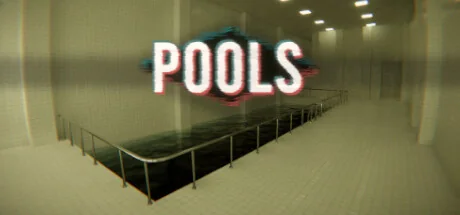
Give the quiet poolrooms a multiworld progression loop. Explore pools, slides and unusual spaces while other worlds supply the licenses and movement upgrades needed to turn your discoveries into checks.
The 1.0.0 APWorld defines 333 candidate checks across Levels 0–6. Default options create 258 checks (Levels 1–6, with chairs enabled); disabling chair checks leaves 198. Enabling optional Level 0 adds 75 (333 with chairs, 230 without). These are source-derived option counts, not runtime results.
Actions and milestones that can send a check to your multiworld.
333 locationsDefault marks checks from configurations selected by standard options; the generated set can still vary with logic and seed.
L1 - Plastic Chair - Near Start
Default
Sit at the named chair; the World requires Plastic Chairs for this chair check.
Level 1
L1 - Pool - 2 Railings 1T
Default
The World requires Pools - 1 Tile Deep to count this named pool check.
Level 1
L1 - Pool - 3 Pillars 8T
Default
The World requires Pools - 8 Tiles Deep to count this named pool check.
Level 1
L1 - Pool - 1 Pillar Side Archways 6T
Default
The World requires Pools - 6 Tiles Deep to count this named pool check.
Level 1
L1 - Pool - Dark Corridor 5T
Default
The World requires Pools - 5 Tiles Deep to count this named pool check.
Level 1
L1 - Pool - Large Room with Dark Recess 9T
Default
The World requires Pools - 9 Tiles Deep to count this named pool check.
Level 1
L1 - Hear the Ominous Bellowing
Default
The named level event is a check. Client source maps it to a collision, saved progress flag or zoom state, depending on the event.
Level 1
L1 - Plastic Chair - In Front of Graffiti
Default
Sit at the named chair; the World requires Plastic Chairs for this chair check.
Level 1
L1 - Witness a Ladder Disappearing
Default
The named level event is a check. Client source maps it to a collision, saved progress flag or zoom state, depending on the event.
Level 1
L1 - Pool - Curved Pillar Structure 8T
Default
The World requires Pools - 8 Tiles Deep to count this named pool check.
Level 1
L1 - Pool - T-Shaped Room 10T
Default
The World requires Pools - 10 Tiles Deep to count this named pool check.
Level 1
L1 - Pool - Dual with Ladders 10T
Default
The World requires Pools - 10 Tiles Deep to count this named pool check.
Level 1
L1 - Plastic Chair - Next to Knocked Over Chair
Default
Sit at the named chair; the World requires Plastic Chairs for this chair check.
Level 1
L1 - Diving Board - Over Void
Default
Use the named diving board; the World requires Diving Boards / Platforms.
Level 1
L1 - Pool - Blue Slide Around Pillars 9T
Default
The World requires Pools - 9 Tiles Deep to count this named pool check.
Level 1
L1 - Plastic Chair - In Front of Clock
Default
Sit at the named chair; the World requires Plastic Chairs for this chair check.
Level 1
L1 - Pool - Corridor Corner 9T
Default
The World requires Pools - 9 Tiles Deep to count this named pool check.
Level 1
L1 - Pool - Thin Pillars Duck Corridor 9T
Default
The World requires Pools - 9 Tiles Deep to count this named pool check.
Level 1
L1 - Slide - Red Spiral
Default
Use the named slide; the World requires Red Slides.
Level 1
L1 - Pool - Red Spiral Slide 9T
Default
The World requires Pools - 9 Tiles Deep to count this named pool check.
Level 1
Playing with others
Each player explores a single-player POOLS session while exchanging items through Archipelago. The maintainer supports synchronous and asynchronous rooms; reconnect the same slot when returning. This does not add shared-world co-op or VR support.
Known scope and limitations
Use the standard Steam game on Windows with Archipelago 0.6.7 or later. The VR version is explicitly incompatible. The base game's Linux and macOS availability does not establish compatibility with this Windows memory-reading client.
Install pools.apworld, launch POOLS to its main menu, then open POOLS Client in the Archipelago Launcher. Connect the correct room and slot and wait for the process-found message. The POOLS tab shows the integration's current information.
No separate game-mod installation is required: the client attaches to the running process. It must stay running and connected while you play; the APWorld alone does not modify a normal offline session.
The guide identifies a 912,512-byte POOLS.exe and its hash. Runtime access also uses fixed offsets in GameAssembly.dll, so later game updates may require a matching client update even if the small executable appears unchanged.
You can physically explore an area before receiving its license, but its checks will not count yet. Return once the required level and interaction permissions have arrived.
Zoom checks also require touching a nearby railing. Special event checks may wait for the game's autosave, up to ten seconds. A short delay does not necessarily mean the room is disconnected.
Sitting at an exaggerated angle can make adjacent chairs be mistaken for one another. The maintainer documents this positional limitation; disabling chair checks is an available simpler configuration.
Rewind traps can move you out of bounds around long slides, elevators or gravity changes, requiring a level restart. Very high movement speed can also cause out-of-bounds movement. Wet traps occasionally fail to trigger. Leave traps off for a more predictable first run.
Reconnect the same room and slot when continuing, and keep normal save backups. The reviewed client tracks live interactions; it does not establish that every action performed while disconnected will later be recovered.
The maintainer considers the release feature-complete and stable, but the documented quirks remain. Panludia has not independently completed a campaign, and this integration adds neither DeathLink nor native co-op.
 Panludia