 Panludia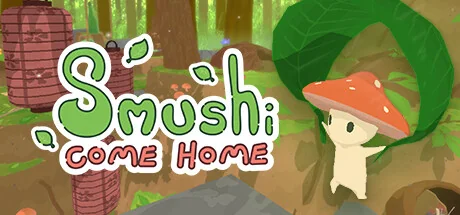
COMMUNITY INTEGRATION
Smushi Come HomeArchipelago randomizer mod
Find your way through the forest with exploration tools delivered by other worlds. Tasks, mushroom research and augmenters send checks while the multiworld supplies the glider, climbing hooks and quest objects needed to continue.
Maintained by xMcacutt, Dashieswag92
GAME MECHANICS
Explore game mechanics
Browse possible checks, rewards and settings. What appears in your game depends on your World options.
The release defines 91 check candidates: 53 quest and exploration tasks, 23 Mycology Journal research entries and 15 augmenter discoveries. A mushroom check requires the Mycology Journal and selecting that mushroom in its menu; simply passing it does not send the check. The default item pool contains 91 copies: 68 fixed items plus 23 Purple Crystals to fill the remaining slots. The selected goal determines how the slot is completed. These are static release counts; no seed or Panludia game session was run.
Actions and milestones that can send a check to your multiworld.
91 locationsDefault marks checks from configurations selected by standard options; the generated set can still vary with logic and seed.
Tool of Mining Found
DefaultSuper Spore Received
DefaultConch Shell Received
DefaultGarden Map Found
DefaultYellow Shrine Energy Spore
DefaultPink Shrine Energy Spore
DefaultBlue Shrine Energy Spore
DefaultBlade of Power Purchase
DefaultAnemone Woods Wind Essence
DefaultMycology Journal Unlock
DefaultBand of Elasticity Found
DefaultMyrtle Pools Wind Essence
DefaultMyrtle Pools Blueberry Purchase
DefaultAncient Relic 1 Found
DefaultAncient Relic 2 Found
DefaultCrystal Cave Blueberry Found
DefaultTool of Writing Found
DefaultAncient Relics Returned
DefaultForest Map Found
DefaultPlaying with others
Smushi remains a single-player game participating in a multiworld. Players can progress in separate games and return to the same seed and slot later; keep the mod connected for exchanges. This is not native shared-world co-op, and no DeathLink option is provided.
Known scope and limitations
- Use client 1.0.8 with APWorld 1.0.9. Their version numbers intentionally differ; the current changelog pairs them, while the world's older ModVersion slot field still reads 1.0.7.
- The documented manual route uses BepInEx 5.4.23.4: install the loader into the game folder, launch once, close the game, then put the mod folder into BepInEx/plugins. The mod package itself declares no automatic loader dependency.
- Press Start at the main menu to open the connection screen, then enter the server, port, exact slot name and optional password. The mod connects directly; a separate Smushi client application is not required.
- The mod redirects saves into ArchipelagoSaves beside the game executable, with a file based on seed and slot. Back up that directory before updates or reinstalling the game; do not assume Steam Cloud includes it.
- A June 2026 player report describes a crash after the Home ending, although Archipelago recognizes the goal. The same report describes receiving the first rusty hook without its item. No maintainer resolution is visible; these remain reported limitations, not independently reproduced findings.
- The Sacred Orb staying local is documented behavior, not an omitted randomization fix. Ordinary crystals are not a separate crystalsanity check category in this release.
- Standard logic is the conservative starting point. Earlier releases corrected several quest checks, traversal rules and offline item-queue problems; this review does not certify every Advanced route or interrupted connection.
- Only the documented Windows integration route is listed. The Steam game's native macOS support does not establish that this loader and client work there, and no Linux or Proton integration test is claimed.