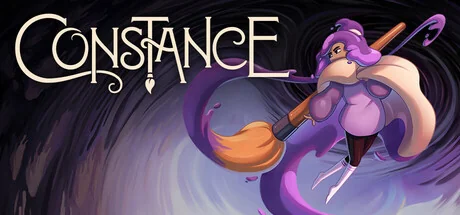
Paint your way through a multiworld where movement abilities and key rewards can arrive from another game. Explore for checks, recover the four tears and work toward the final boss.
Counts and logic below are derived from the paired v1.0.2 release files. Panludia did not generate a seed or complete a connected playthrough for this catalog, and parts of the tagged source snapshot differ from the distributed archives.
Actions and milestones that can send a check to your multiworld.
96 locationsDefault marks checks from configurations selected by standard options; the generated set can still vary with logic and seed.
Ability Altar: Paintbrush
Default
Visit the Paintbrush altar to send an ability check.
Ability altars
Ability Altar: Paint Dive
Default
Visit the Paint Dive altar to send an ability check.
Ability altars
Ability Altar: Paint Stab
Default
Visit the Paint Stab altar to send an ability check.
Ability altars
Ability Altar: Paint Stroke
Default
Visit the Paint Stroke altar to send an ability check.
Ability altars
Ability Altar: Plunge
Default
Visit the Plunge altar to send an ability check.
Ability altars
Ability Altar: Wall Dive
Default
Visit the Wall Dive altar to send an ability check.
Ability altars
Ability Altar: Somersault
Default
Visit the Somersault altar to send an ability check.
Ability altars
Ability Altar: Paint Clone
Default
Visit the Paint Clone altar to send an ability check.
Ability altars
Tear: Floral Foundry
Default
Collect the Floral Foundry Tear to send a check and advance endgame logic.
Tears
Tear: Astral Academy
Default
Collect the Astral Academy Tear to send a check and advance endgame logic.
Tears
Tear: Chaotic Carnival
Default
Collect the Chaotic Carnival Tear to send a check and advance endgame logic.
Tears
Tear: Vanishing Vaults
Default
Collect the Vanishing Vaults Tear to send a check and advance endgame logic.
Tears
Camera Pickup
Default
Collect the Camera in its vanilla location to send a check; the Camera itself is not an Archipelago item.
Key and map pickups
Map Icons Pickup
Default
Visit the Map Icons pickup to send a check; Map Icons are precollected so the in-game tracker is available from the start.
Key and map pickups
Frida Mask Pickup
Default
Collect Frida Mask to send a progression check that gates the late Puppet Hand and final-boss encounters.
Key and map pickups
Health Vial Purchase
Default
Purchase the Health Vial to send a check.
Health Vial purchases
Health Vial Upgrade Purchase
Default
Purchase the Health Vial Upgrade to send a check.
Health Vial purchases
Eraser: Janky Junction (Bubble Trouble)
Default
Collect the Eraser at Janky Junction (Bubble Trouble) to send a check.
Erasers
Eraser: Shop (Two cousins)
Default
Collect the Eraser at Shop (Two cousins) to send a check.
Erasers
Eraser: Chaotic Carnival (Jackie's Gacha)
Default
Collect the Eraser at Chaotic Carnival (Jackie's Gacha) to send a check.
Erasers
Playing with others
One solo Constance save per Archipelago slot, exchanging items with other worlds across live or asynchronous sessions. Keep the client connected during play; this does not add native co-op to Constance.
Known scope and limitations
Version 1.0.2 is an early release with targeted fixes. The World still uses a coarse region graph; source inspection does not establish every route, option combination or current-game compatibility.
Use the Steam Windows edition with BepInEx 5.4.23 x64 and both files from release 1.0.2. This ZIP starts with ConstanceAP: place that folder in BepInEx/plugins so ConstanceAP.dll is inside BepInEx/plugins/ConstanceAP. Keep the separate Constance Client connected during play.
Connect the client before creating a genuinely new save for a new seed. Known mismatched or progressed saves are blocked, but missing binding data and slot changes are not fully covered. Back up your normal saves before installing or updating.
The mod stores save-to-seed bindings beside its DLL. The release ZIP already contains development binding and shrine-state files: preserve your own save_seed_links.jsonl and shrine files before merging an update, rather than overwriting them blindly.
The tagged README still describes the old ZIP layout, and the embedded setup page incorrectly says no client exists. The APWorld manifest reports world_version 0.1.0 although the paired distribution is labeled 1.0.2; use both files from the same release.
The setup guide warns of possible crashes during initial BepInEx startup. No Linux installation or native co-op route is established by this release, and Panludia has not independently played a complete campaign.
Item replay and per-instance markers support reconnection, but outgoing checks and the victory notification use memory-only queues. Restarting during delivery may lose a one-time check. The local bridge is unauthenticated and uses permissive message parsing; do not expose it beyond your own machine.
The release tag points to an older source snapshot than the code bundled in its archives. The distributed files were inspected directly; their DLL build and complete graphic-asset permissions have not been independently established.
 Panludia