Skip to content
All integrations
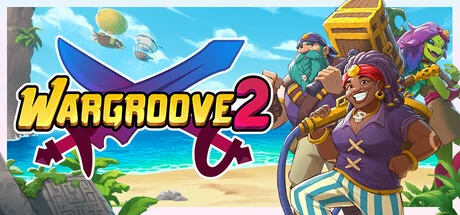
Wargroove 2 official Steam artwork

COMMUNITY INTEGRATION

Wargroove 2Archipelago randomizer mod

Command a growing army across a custom branching campaign. Mission victories and side objectives send checks, while other worlds unlock units, commanders and the events needed to reach your finales.

Maintained by Fly Hyping / FlySniper, Magnemania, Akblabla, Luminary Lytra

MAINTAINER RESOURCES

Setup & releases

Choose the documented game and integration versions and follow the original installation instructions.

Compatibility notes

  • Version 1.1.11 is a prerelease. Its APWorld bundles the matching client, mod and campaign and requires Archipelago 0.6.3 or later. Launch the Steam game once, close it, install the APWorld and start Wargroove 2 Client before opening the custom Archipelago 2 campaign.
  • Back up playerProgress, its backup and the custom campaign before installation or updates. Every client startup rewrites the supplied campaign and its backup file. The maintainer requires clearing old custom-campaign progress when changing versions; plan an update between runs.
  • The new Giant Issue map still differs from the World’s checks: Triple Kill remains in the generated list, but no supplied map trigger sends it. Its Low Turn Count check is attached to the seven-giant victory branch. Exclude Giant Issue from the main playlist if you need every generated check to have a matching documented trigger.
  • The generator reuses mutable level templates between Wargroove 2 slots. Their region association can be overwritten by another slot’s shuffled layout. Use one Wargroove 2 slot per generation until that isolation has been verified or corrected.
  • Stay connected while playing. The client clears shared bridge files on startup and disconnect, consumes outgoing check files before sending and retains only the latest polling batch for resync. Offline one-time actions and final victory do not have durable delivery guarantees.
  • Use a separate local campaign for each room and only one client against a game directory. The local campaign is not checked against the connected seed and slot before state is replaced. Ordinary item replay uses absolute counts, but that does not prevent mixing campaigns.
  • The documented Linux route uses the Windows Steam game through Proton. Select the prefix’s drive_c/users/steamuser/AppData/Roaming folder; this is not native Linux support. Console and macOS editions are outside this setup.
  • Undo Turn is unsupported. Adjust campaign difficulty instead, and keep advanced cost/sharing modifiers off for a simpler first run. Removing too many playlist maps is rejected when too few checks remain.
  • Use the protected room address supplied by your server operator and keep passwords out of the address itself. The framework accepts explicit wss connections, but a scheme-less address uses unencrypted ws.
  • Python, map data and the Lua recovered from the released mod were inspected statically. Complete provenance for the packed art/campaign and a full mod rebuild are not established; no successful campaign or runtime compatibility result is claimed.

This integration is maintained independently of Panludia. Downloads are provided by its maintainer. Contact the maintainer through the linked repository or support channels.

View Wargroove 2 on Steam